
 Русский
 Українська
 Հայերեն
 ქართული
 Қазақша
 Español
 Français
 Deutsch
 Italiano
 فارسی
فارسیArticle focus
Video: Tilda and vPOS setup step by step
A video guide using the real VPOS.am interface. Client names and transaction IDs are concealed. Confirm bank status separately.
Step 1. Check the bank package before configuring the website
The sandbox and production environments, merchant dashboard and API access serve different purposes. Keep their settings separate.
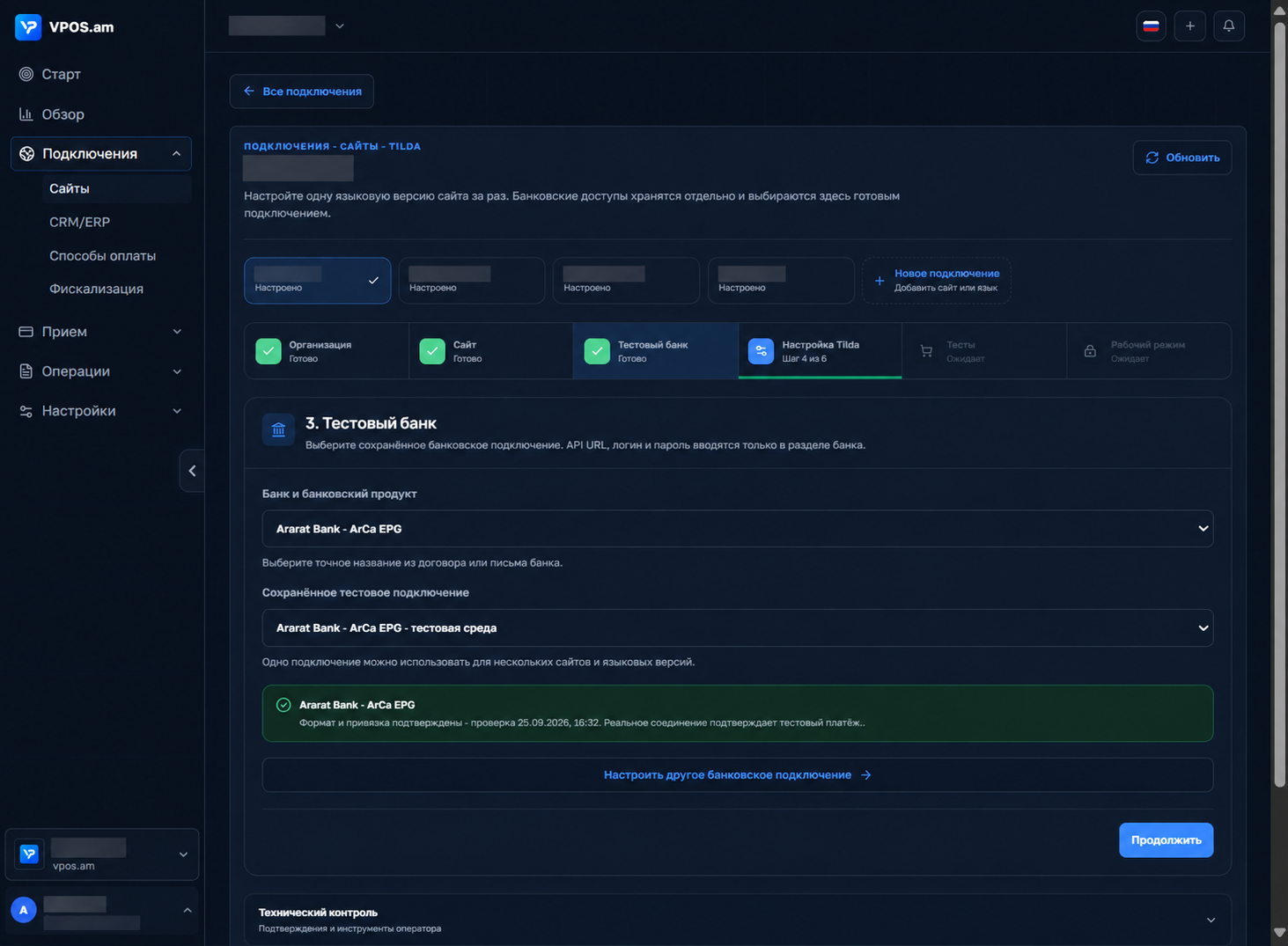
Ask the bank for the parameters of both environments: API endpoint, merchant identifier, currency, permitted operations, return and notification URLs, domain requirements and any IP restrictions. Confirm whether one agreement covers multiple websites. An operation appearing in the API guide does not mean that your merchant account is authorized to use it.
If the bank issues separate dashboard and API users, change their temporary passwords separately through the interface confirmed by the bank. Verify the validity period in the bank’s message or with support and change each password promptly. If access has expired, request a replacement; do not try to sign in to an unrelated web console with API credentials. Never place passwords or test card details in Tilda, page URLs, correspondence or a repository.
In the Ararat Bank integration described here, first sign-in and password changes took place in ArCa EPG GUI at https://epg.arca.am/epg_gui/#login. Production REST requests use the separate endpoint https://epg.arca.am/payment/rest. These addresses were verified for this merchant; check both against your own bank package.
- Record sandbox and production parameters separately.
- Get confirmation of the permissions for payments, refunds and cancellations.
- Confirm the exact password-change portal and temporary-access period with the bank.
- Keep API credentials in protected VPOS.am storage.
Step 2. Test the entire payment lifecycle on a separate storefront
The test is complete only when the bank has confirmed the payment and Tilda has received a trustworthy order result.
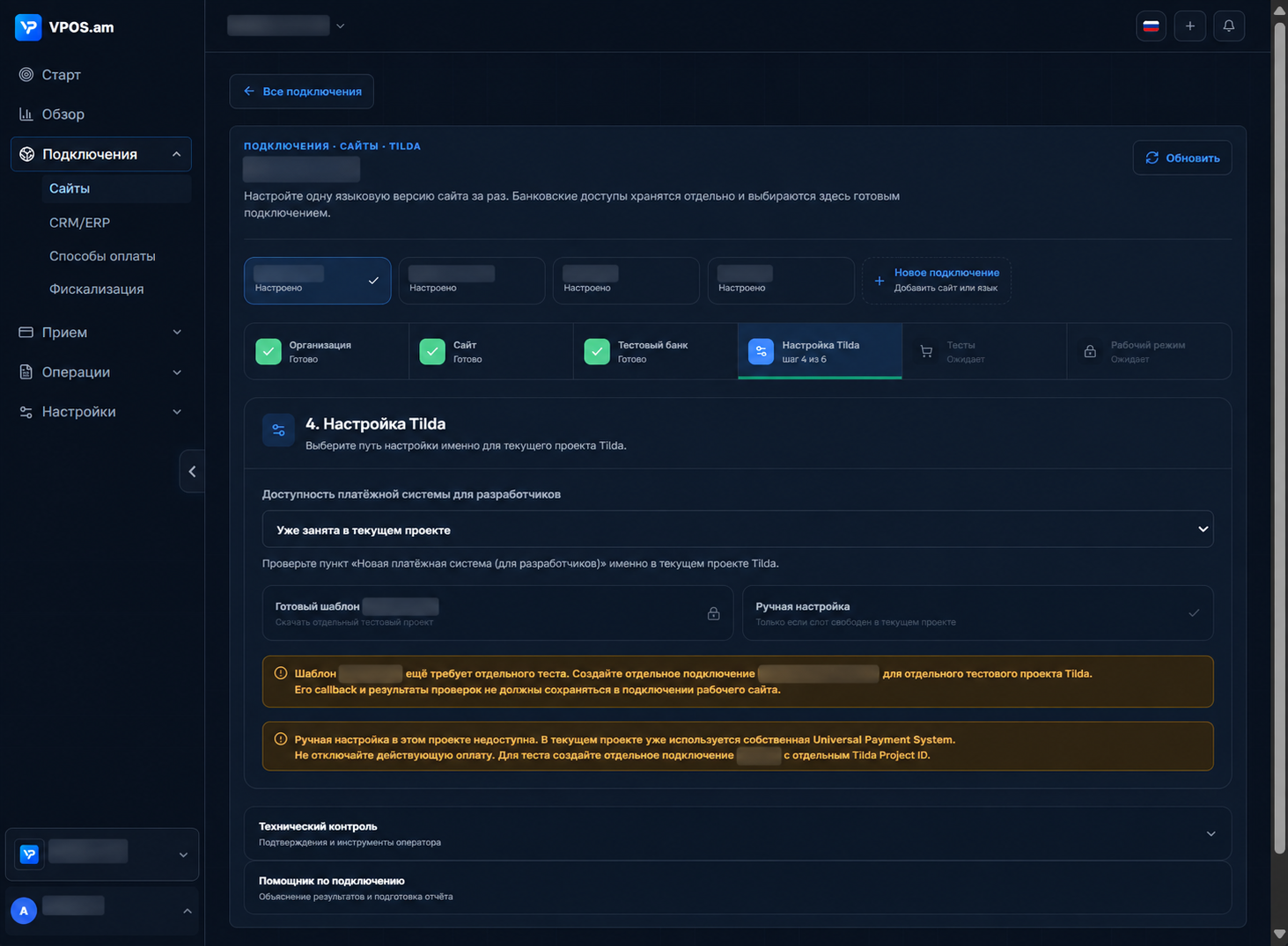
Create a separate sandbox bank route in VPOS.am and connect it to a test Tilda project. In the Custom Payment Gateway settings, map the order fields and every field used in the signature. Check the amount, currency, return URLs and server notification URL. Save the settings, reopen them to confirm what was stored, and publish a test page with a cart.
For each test order, follow the journey from cart to the bank-hosted payment page and back to the website. Then check the bank status with a server request, the payment record in VPOS.am and the signed notification sent to Tilda. According to Tilda’s documentation, an order is marked as paid only after a notification with a valid signature, order number, amount and successful-payment indicator. A thank-you page does not prove that the charge succeeded. Use the bank’s instructions for your agreement to determine the required number of payments and the refund or cancellation scenarios.
- Match the order identifier, amount, currency and final status in the bank and VPOS.am.
- Verify notification delivery and the order status in Tilda.
- Test refunds and cancellations only when the bank has confirmed those permissions.
- Keep a redacted test report without card details, passwords or one-time codes.
Step 3. Find the point where the order stopped
Tilda, VPOS.am and bank logs help distinguish a configuration error, missing permission and an unfinished payment.
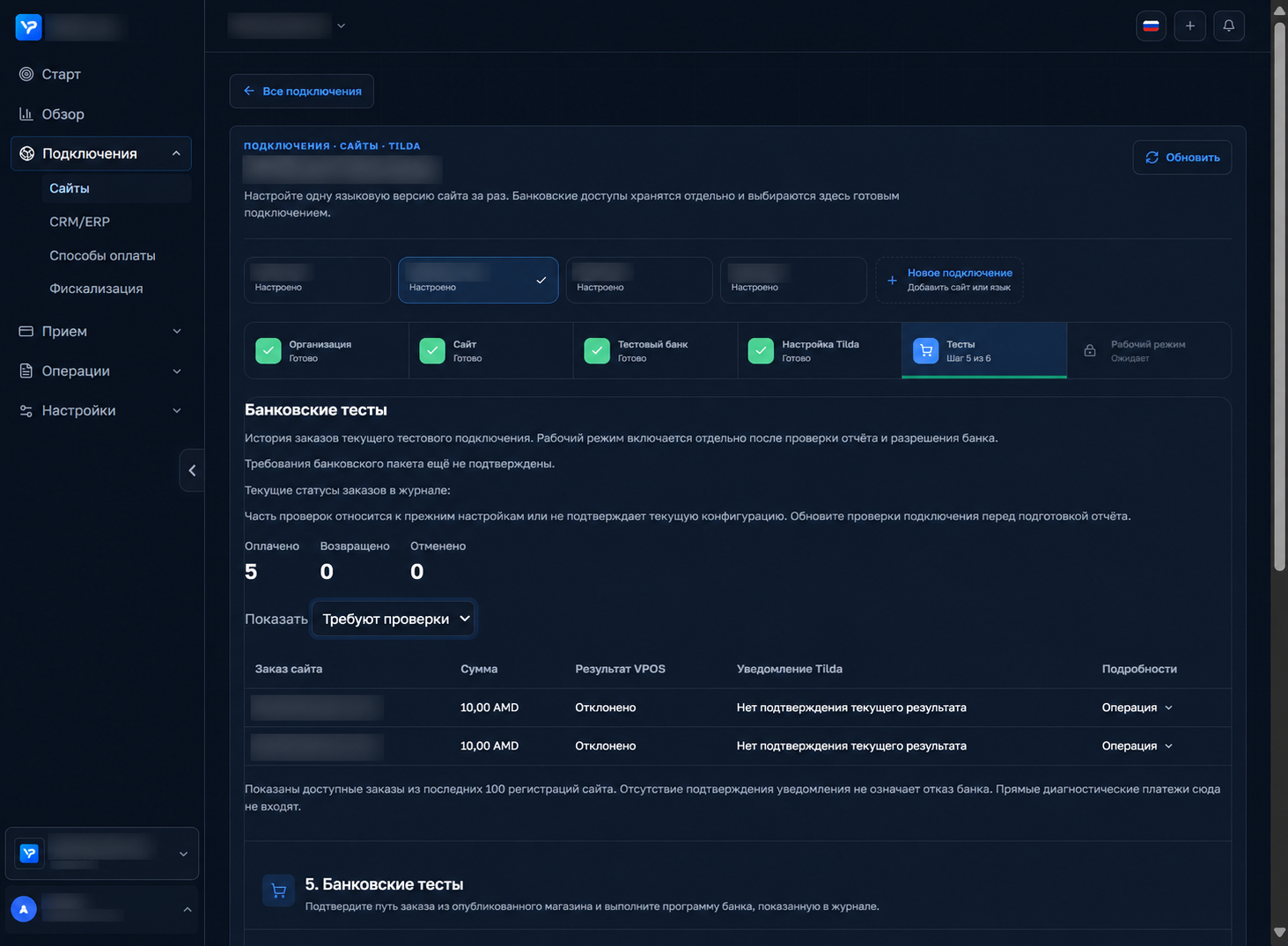
If the buyer sees a thank-you page but never reaches checkout, start with the error log in Tilda’s Leads section: the order may have failed field validation before it reached VPOS.am. For a signature error, compare the stored field mapping and the field order for that particular setup, not just a generic template. Long website order numbers need a stable bank-compatible identifier that can be mapped back to the original order.
If payment creation and status lookup work but a refund or cancellation returns Access denied, the merchant may lack permission for that operation. Check the exact API response and request confirmation from the bank. A message requiring a password change points to a different cause. After an interrupted 3-D Secure challenge or a network failure, establish the status of the existing order first; retrying without reconciliation can create a duplicate charge.
- No bank checkout: check Tilda errors, field mapping and the published configuration.
- Signature error: verify the secret and the exact field set and order for this setup.
- Only refund or cancellation fails: confirm the merchant’s permissions with the bank.
- Unknown outcome: read the existing payment status before creating another charge.
Step 4. Move live websites one at a time with a rollback plan
A successful sandbox test does not activate live acquiring automatically: production credentials, permissions and a controlled payment are still required.
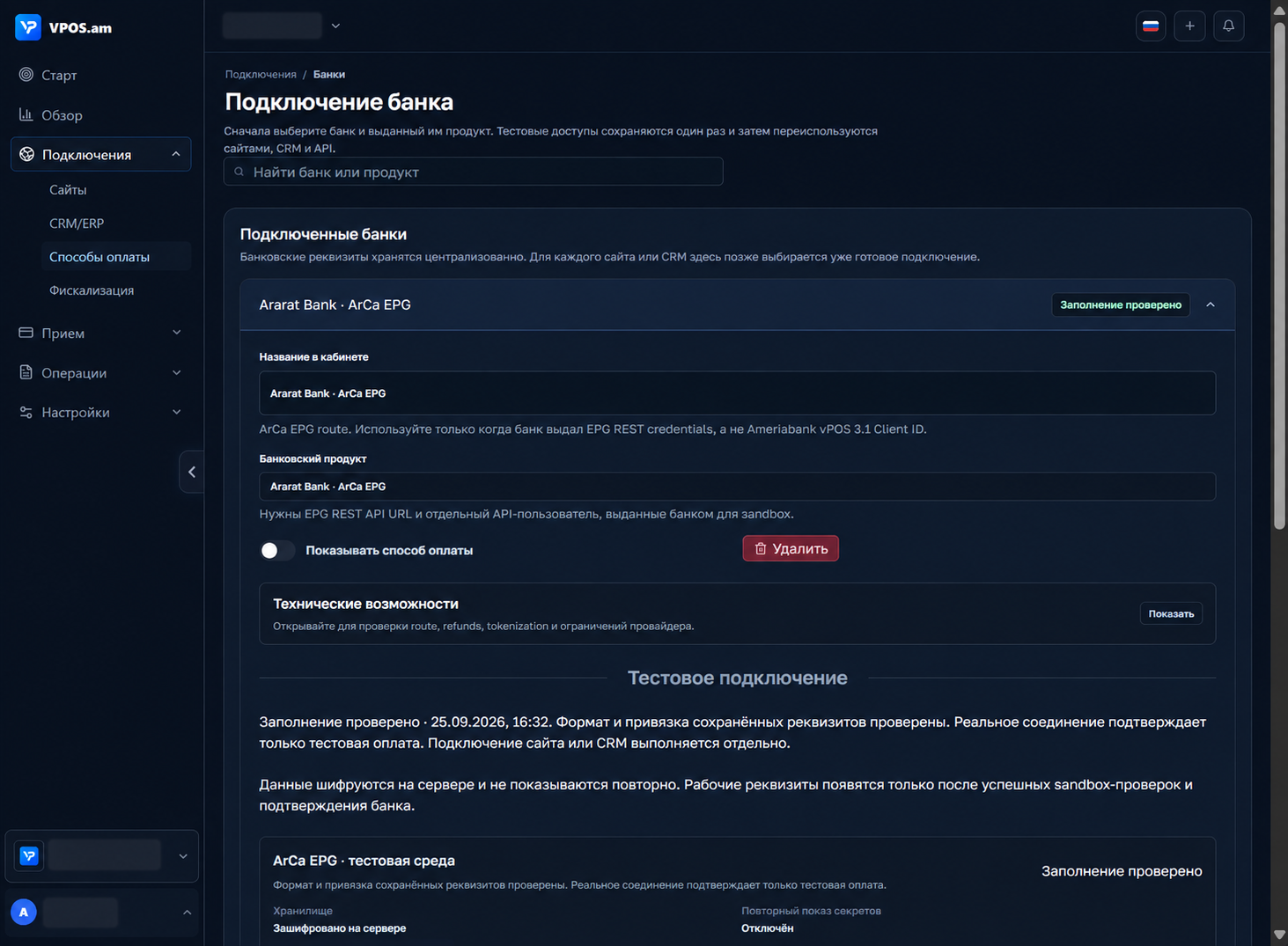
After the bank confirms readiness, create a separate production route and record the website’s current payment settings. Check whether Tilda allows the existing and new payment methods to run in parallel: reusing an occupied payment slot may switch real sales immediately. Agree on a change window and owners, then migrate one website first while the others stay on their previous route.
Make an agreed small live payment and reconcile the bank’s final status, the VPOS.am record, the Tilda order and the bank report. If they disagree, pause the new route, restore the previous configuration and investigate uncertain transactions before another launch attempt. Move the remaining websites only after the first passes. Treat fiscal receipts as a separate controlled process: payment confirmation and receipt issuance have different statuses.
- Never transfer sandbox passwords or routes into production.
- Record the previous settings and the steps for restoring them.
- Verify each website and domain independently.
- Close the launch only after bank status, Tilda notification and report reconciliation agree.
FAQ
Does a thank-you page mean the order is paid?
No. Verify the final bank status and the correct server notification in Tilda. A browser redirect alone does not confirm a successful charge.
Why does the API accept payments but reject refunds?
Refund and cancellation permissions may be granted separately. Check the exact API response and ask the bank to confirm the permitted operations.
Can we replace the current payment method on every site at once?
Keep the previous configuration and move websites one at a time after an agreed small live payment and reconciliation.
Sources and documentation
- ArCa EPG — first sign-in and password-change portalVerified for the Ararat Bank integration described here; check another merchant’s bank package before using it.
- AraratBank — POS terminal and Virtual POS / e-commerceThe bank’s official overview of the online payment service; merchant permissions and conditions are determined by the agreement.
- Tilda Help Center — Custom Payment GatewayOfficial guidance on submitting an order, configuring the signature and sending the notification that changes the order payment status.
- Tilda Help Center — LeadsWhere to review leads and payment-system error messages.